
The Outlook Mastery-Course
Finally Use Classic Outlook The Way It Was Meant To Be Used - As A Complete Workload Management System
You’ve used Outlook for years - but no one ever shown you how to make it work for you.
This step-by-step course teaches you how to clear the clutter, manage your tasks, and stay in control of your workload - all inside Classic Outlook.
No more flagged emails. No more chaos. Just clarity, focus, and real productivity - even if you’re not tech-savvy.
Buying for Your Team or Organisation?
Team and organisation-wide licensing is available - flat-fee or per-user pricing, LMS or hosted delivery.
Reduce distractions and stay focused on getting your work done.
Keep your Inbox clear without feeling stressed or frustrated.
Keep your Inbox clear without feeling stressed or frustrated.
Stay in control of tasks and priorities with a simple, structured system.
Classic Outlook is a powerful tool - when you know how to use it properly.
Most professionals were never taught how to manage their workload in Outlook - so they rely on flagged emails, cluttered Inboxes, and scattered to-do lists.
You deserve a simple, structured system that puts you back in control - so Outlook works for you, not against you.

Struggling To Stay On Top Of Work In Outlook?
Emails keep piling up and pulling your attention away from important tasks.
Your Inbox feels like a never-ending to-do list you can’t escape.
Important work gets buried under message after message.
Organising emails takes too long - and it still doesn’t feel under control.
Too many emails are flagged, but nothing feels truly prioritised.
If Outlook feels more like a burden than a productivity tool, you're not the only one who feels like that.
I know how exhausting it is to feel stuck in email all day
You open Outlook to check one message - and suddenly, the day’s gone.
Emails pile up, flagged messages get buried, and the real work gets lost in the chaos.
For over 20 years, I’ve helped professionals transform how they manage their workload using Classic Outlook - not just as an email tool, but as a complete system for staying organised and in control.
The Outlook Mastery Course shows you exactly how to move beyond flagging and Inbox overload, and finally take charge of your tasks, time, and focus.
Turn Classic Outlook into a powerful workload management system with ‘The Outlook Mastery’ Course
A step-by-step system to help you manage emails, tasks, and
priorities with ease - without relying on your Inbox.
The Outlook Mastery Course gives you a simple, structured approach to managing your workload inside Classic Outlook - so you can track tasks, prioritise work, and stay in control without the overwhelm.
Transform Classic Outlook Into A True Workload Management System
With The Outlook Mastery Course, you’ll finally move from Inbox chaos to confident control - tracking tasks,
priorities, and deadlines without stress or guesswork
From Inbox Overload
Endless flagged emails and still missing tasks.
Important work being buried under unread messages.
No clear starting point, just a flood of to-dos.
Valuable time is wasted searching and sorting.
Unclear systems mean tasks, priorities, and deadlines aren’t tracked.
To Full Control Of Your Day
One central place to manage tasks, priorities and time-activated commitments.
Clarity on what matters most - at a glance.
A clean Inbox that’s easy to maintain.
Search smarter and find what you need in seconds.
A structured system that gives you confidence and control.
LIMITED-TIME OFFER
- PRICE INCREASING SOON!
Get Outlook Mastery for just $169
(valued at $249).
(GST included where applicable)
⏳ This special offer won’t last - secure your spot before the price goes up!
Get instant access to the full course
No subscriptions or recurring fees
Simple, proven strategies to manage your workload in Outlook
A Smarter Way To Manage Work With Classic Outlook
Workload Management In
One Place
Keep tasks, priorities and time-activated commitments organised without relying on your Inbox.
Less Time Sorting, More
Time Doing
Reduce searching, flagging, and re-reading emails so you can focus on real work.
Stay In Control Without being Overwhelmed
Use Classic Outlook the way it was designed to manage work with ease.
What’s Inside ‘The Outlook Mastery’ Course:

Module 1: Foundation
📌 Set the foundation for success – Learn why flagging emails isn’t effective and what to do instead.
Module 2: Introduction
📌 Assess your email habits – Take a quiz to evaluate how you currently manage work inside Outlook.
Module 3: Habit 1 – Stop Email Disruptions
📌 Eliminate constant email interruptions – Process emails efficiently without breaking focus.
Module 4: Habit 2 – Operate From An Empty Inbox
📌 Learn how to keep your Inbox clear – Move work to the right place and manage it properly.

Module 5: Habit 3 – Use One Visible To-Do List
📌 Get tasks out of your Inbox and into a structured system – Plan, prioritise, and manage workload effectively.
Module 6: Wrap-Up
📌 Reinforce key lessons and ensure long-term success with your new Outlook system.
Module 1:
Foundation
Start strong by laying your foundation for a more organised, structured way to manage your workload in Classic Outlook.
Why email is a source of workplace stress.
Shift away from using your Inbox as a manager to to-do list.
Access your Workshop Workbook and get ready to implement three key habits that will transform how you manage work.
Module 2:
Introduction
Email is our go-to tool for managing work, but how effective is your current approach? Take a step back and evaluate your workflow before making changes.
Take a quiz to assess how well you're managing emails and tasks.
Learn about the 3 key habits that will transform how you work.
Set up the basics for success.
Module 3:
Habit 1 – Stop Email Disruptions
Constant email notifications and Inbox-checking break your focus and make it harder to get real work done. Regain control by managing when and how emails demand your attention.
Discover how much time email interruptions are actually costing you.
Discover how to not react every time you get an email.
Get the tools you need to shift your focus to a more productive way.
Module 4:
Habit 2 – Operate From An Empty Inbox
A cluttered Inbox creates unnecessary stress. Use a step-by-step process to keep it clear while ensuring nothing gets lost.
Set up Inbox filters so you can focus on the emails that matter.
File and retrieve your emails quickly and efficiently.
Learn how to achieve an empty Inbox quickly and easily by using a simple processing rule.
Module 5 :
Habit 3 – Use One Visible To-Do List
Managing work across multiple lists, emails, and mental notes leads to missed tasks and unnecessary stress. Create a single, structured system inside Classic Outlook to stay organised.
Set up Classic Outlook as an integrated workload management system.
Manage more by connecting work from other channels.
Learn how to plan effectively for the following day.
Module 6 :
Wrap-Up
By now, you have a complete system in place - learn how to maintain it long-term with simple routines.
Review key lessons to reinforce your new workflow.
Access your Quick Reference Guide for on-going support.
Access your bonuses to take your workload management to the next level.
BONUSES – INCLUDED FREE FOR A LIMITED TIME

🔥Sign up today and get these exclusive bonuses:
Receive these additional resources at no extra cost, designed to help you manage your Inbox even more efficiently.
PDF Download: Step-by-step Quick Reference Guide
Video Tutorial: Assigning Tasks in Outlook
Video Tutorial: How to Manage a Small Project Using Outlook
Video Tutorial: Advanced Workload Management Techniques
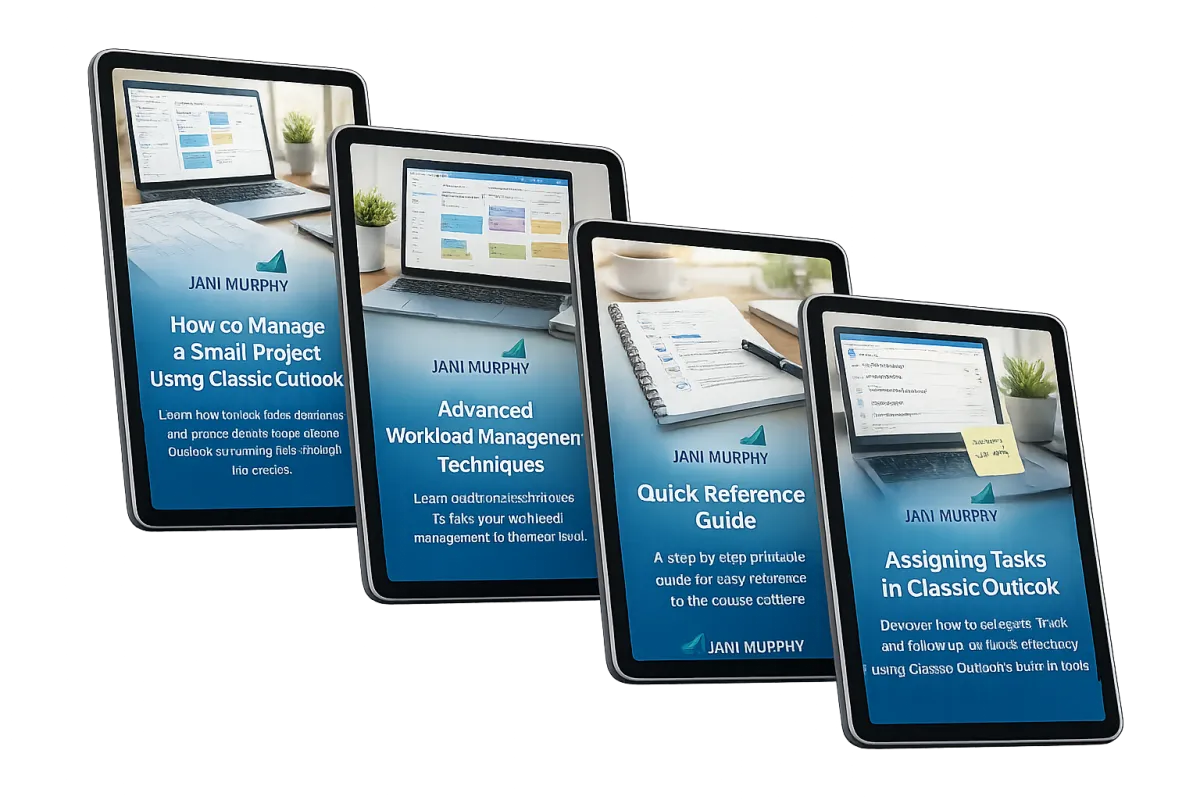
Exclusive Bonuses – Included for Free When You Sign Up Today
Total Bonus Value: $342
$175 – How to Manage a Small Project Using Classic Outlook
Learn how to track tasks, deadlines, and project details inside Classic Outlook so nothing falls through the cracks.$79 – Advanced Workload Management Techniques
Learn additional techniques to take your workload management to the next level.$49 - Quick Reference Guide
A step-by-step printable guide for easy reference to the course content$39 – Assigning Tasks in Classic Outlook
Discover how to delegate, track, and follow up on tasks effectively using Classic Outlook’s built-in tools.
OVER $342 Worth Of Value - Yours For Just $169!
(GST included where applicable)
A Simple 3-Step Plan To Take Control Of Your Workload In Classic Outlook
Sign Up & Get Instant Access
Enrol today and start learning right away.
Follow The Simple System
Watch clear, easy-to-follow lessons and apply the strategies at your own pace.
Master Outlook And Regain Control
Turn Classic Outlook into a focused, structured system - and enjoy the clarity and confidence of knowing everything is under control.
Imagine This...
A Clear, Structured System For
Managing Your Workload
You start your day knowing exactly what to focus on.
No overflowing Inbox.
No endless flagging. No mental clutter.
See what matters at a glance - Open Classic Outlook and instantly see what needs your attention - without confusion or distraction.clutter, no chaos, just clarity.
Track tasks, deadlines, and priorities in one place - with a system that keeps you organised and in control.
Spend less time reacting to email - and more time doing meaningful, focused work.
With The Outlook Mastery Course, this isn’t a dream,
it’s your new normal.
Your Inbox Wasn’t Meant To Manage Your Work
Flagged emails and cluttered Inboxes create more chaos than clarity. They drain your focus, bury your priorities, and keep you stuck in reactive mode.
But when your work is organised in a clear, structured system,
you stop chasing tasks - and start making real progress.
FAQ
Q. What if I'm not tech-savvy?
A: This course is designed for everyone, with step-by-step instructions that are easy to follow.
Q. I'm constantly distracted by emails and struggling to get real work done.
A: This course will show you how to stop email disruptions while still being notified about important messages.
Q. I have thousands of emails in my Inbox. Will this course help me deal with them?
A: Absolutely! You’ll learn how to clear your Inbox quickly and easily without losing track of emails that need follow-up.
Q. How long will it take to see results?
A: You can start implementing what you learn immediately to take control of your Inbox and workload.
Q. What version of Microsoft Outlook do I need?
A: This course is designed specifically for Classic Outlook users. If you're using this version, you'll have access to all the features and tools covered in the training. Other versions may look different or lack some functionalities, so we recommend using Classic Outlook for the best experience.
Q. What if I don't like the course?
A: We offer a 30-day money-back guarantee - no questions asked.
© 2026 Jani Murphy. All Rights Reserved